
What's New
Calamari What's New
Core HR
Time & Attendance
Time Off
Mobile Apps
Scan documents directly in the mobile app

Shared by Kasia
•
Our Android mobile app now supports document scanning.
With this feature, every user can upload documents directly within the app.
The scanning function automatically detects document edges, compiles a PDF from multiple consecutive photos, and allows you to apply filters.
An iOS version is currently in development.
This option is available to users of the Core HR module.
Core HR
Managers with access to the new People report
Shared by Kasia
•
From now on, managers can also use the new People report— by simply switching over using the green bar in the Reports/People view. Depending on their role, they will have access to:
- Company Manager: all active employees
- Team Manager: active team members and themselves
- Direct Manager: active direct reports and themselves
Managers will not see archived employees and have a more limited selection of employee profile fields than administrators.

Core HR
Time & Attendance
Time Off
Manage employee's data with those new filtering options
Shared by Kasia
•
We've added six new filters to the Configuration / People and CoreHR / People views so you can customize your team data even more.
The new filters are: Birthday, People, Direct Manager, Contract Type, Termination Date, Work Anniversary.
From now on, you can use nine filters in total, eight as listed below:

and one more: Status

We'd love to hear your thoughts! Please share your feedback with our Customer Support team. Your input is invaluable as we continue to improve our tools.

Time Off
Time & Attendance
Core HR
Introducing the new "People" Report
Shared by Kasia
•
Our new "People" report is designed to streamline the time spent on data management, ensuring that the generated document fully meets the needs of various departments.
Here's what's new:
- Select specific employee profile fields to display in your report.
- Quickly adjust the order of fields to suit your preferences.
- Filter the employees you want to include in the report.
- Easily find and add fields using the search function.
-
Preview your report before downloading.
How to test the new report?
In the reports view, you’ll notice a green banner. Use it to switch to the new layout and share your feedback on these improvements.
Need more information?
Read full article in our help center.

Integrations
Microsoft Integration
MS Office: Employee's private calendar synchronization
Shared by Kasia
•
We've got a handy new feature for you! From now on, every team member can sync Calamari with a personal Microsoft Calendar.
When you request time off, it will be marked as an Out-of-Office event in your personal MS Outlook Calendar. Remote work requests will display as Working Elsewhere.
To activate, switch on "Employee's private calendar" in Microsoft 365 integration.

Integrations
Slack Integration
Holiday calendar information on Slack
Shared by Kasia
•
This feature is for you if you run an international team and use more than one holiday calendar!
From now on, the notification of public holidays will include information about which country the holiday applies to.
This will allow you to quickly discern which employees may not be available on a given day.

Core HR
Use a new type of Custom Field: Numerical
Shared by Kasia
•
Another type, Numerical, has appeared on the list of Custom Fields selections in the Configuration. The field allows you to enter only a number, the length of which can reach up to 30 digits and six decimal digits. In addition:
- a dot separates integer and decimal parts
- the system does not introduce rounding
- leading zeros in the integer part are automatically shortened (e.g., 00012.5 --> 12.5)
- back zeros in the decimal part are automatically shortened (e.g., 0.500 --> 0.5)
- front and back spaces are automatically shortened
The new type is supported in XLSX imports and exports.
Time & Attendance
Mobile Apps
New features in mobile Timesheet
Shared by Kasia
•
Calamari's Android and iOS apps have been updated with new Timesheet features. From now on, each user can select the presented data in the mobile app, thanks to the intuitive navigation, and also check:
- time spent working on projects
- balance of time worked
- preview of irregularities
- information about the working time recording method used
- registered changes along with information on e.g., location
- requests and changes pending approval. Icons will indicate reported requests, holidays, and remote work.


Find more information in our mobile apps, available on App Store (iOS) & Google Play (Android).
Time & Attendance
Newest Timesheet improvements
Shared by Kasia
•
Taking feedback from customers into account, we have made further improvements to the Timesheet view. Here are the most important changes you should know about:
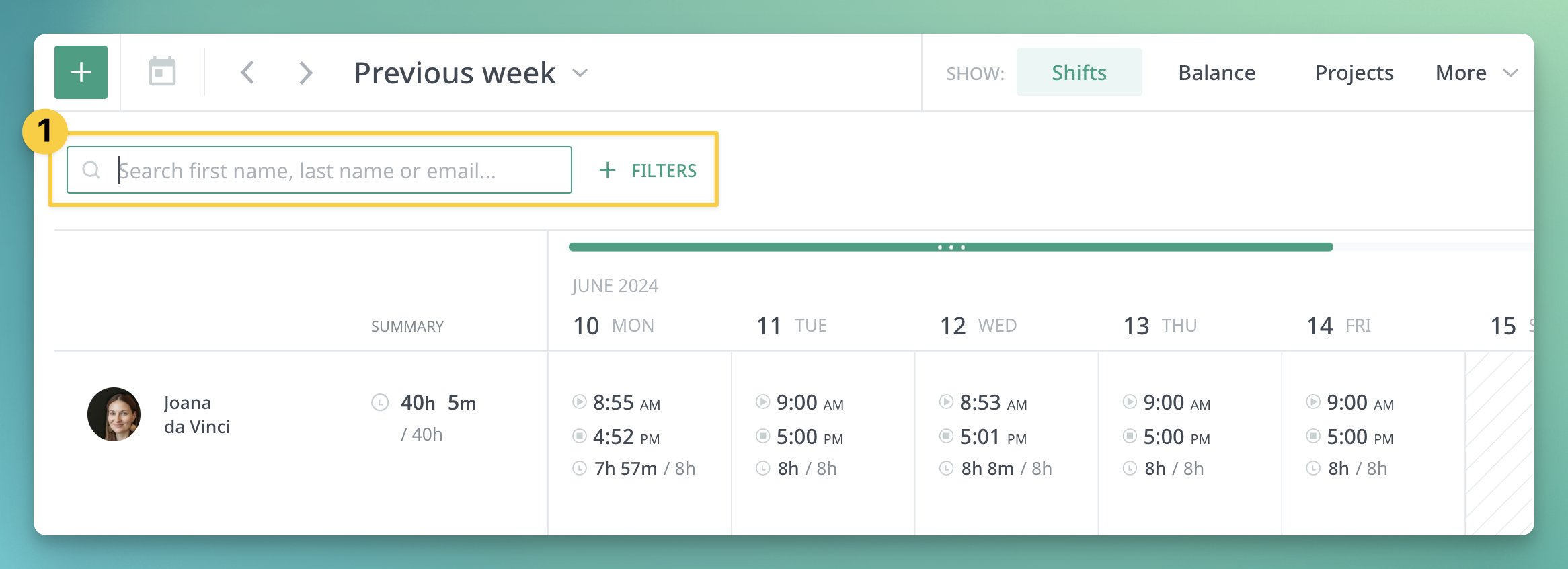
1. The search engine is available directly above the employee list (previously it was available in the upper right corner under the magnifying glass)
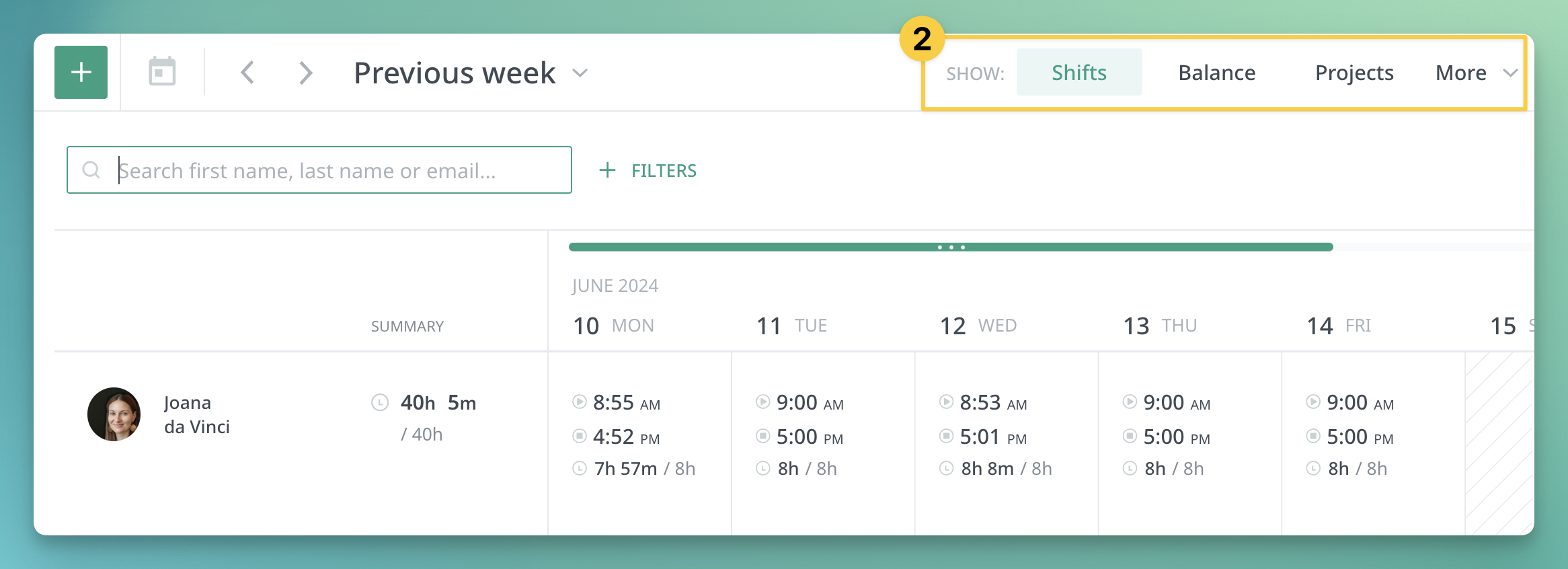
2. You can find the most important presets at the top bar (including Shifts, Balance and Projects)
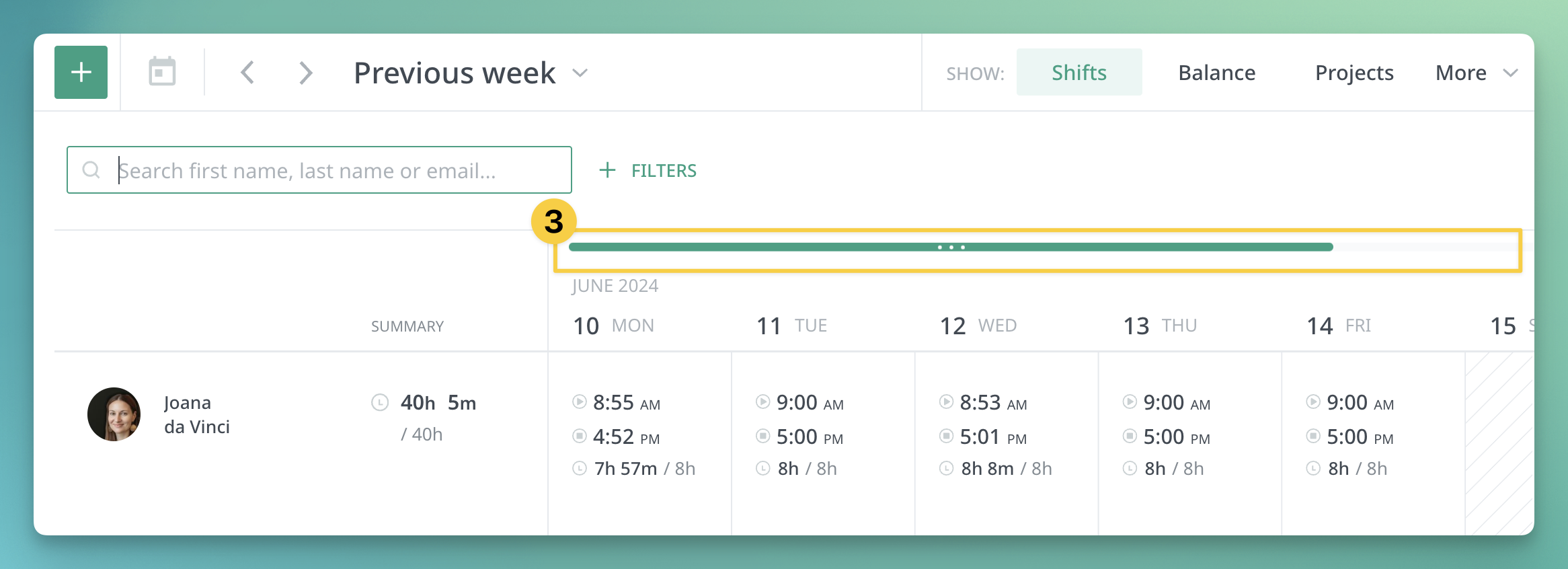
3. Horizontal scrolling was moved over the timesheet.
4 And more improvements to increase the clarity and readability of the records (font size, getting rid of the number of irregularities from a single cell, adding labels, etc.).

Core HR
New custom fields and XLSX import updates
Shared by Kasia
•
1. Single and and multiple-choice lists
Custom fields, of the single-choice or multiple-choice list type , can be now added from Configuration/Custom Fields. After assigning a Category, Group and any number of options, the field will be visible in the Configuration/People and CoreHR/People views.
After defining the field and selection options, you will see the new column after downloading the Export/Import template. You can easily add/change an existing selection in an employee - by typing the option name - and delete - if you clear a cell in the sheet in that person and do an Import.
2. symfonyGUID field
Administrators who have integration with Symfonia Sage enabled have gained the ability to:
- enter the employee number from this system in the SYMFONIA SAGE GUID field in the People/Administration tab.
- bulk update/add this field in multiple employees via a new XLS import.